PlayerUnknown’s Battlegrounds — System Requirements, FPS Estimate & Settings
2017 · Shooter, Massively Multiplayer, Action · Krafton · Metacritic 81
Official system requirements
Publisher-published Minimum / Recommended values via RAWG, retrieved 2026-08-21. Real-world performance varies with drivers, resolution and your full build.
| Spec | Minimum | Recommended |
|---|---|---|
| OS | Minimum: | — |
| Processor | OS: 64-bit Windows 7, Windows 8.1, Windows 10 | — |
| Memory | Processor: Intel Core i3-4340 / AMD FX-6300 | — |
| Graphics | Memory: 6 GB RAM | — |
| Storage | Graphics: nVidia GeForce GTX 660 2GB / AMD Radeon HD 7850 2GB | — |
| DirectX | DirectX: Version 11 | — |
| Item 7 | Network: Broadband Internet connection | — |
| Item 8 | Storage: 30 GB available space | — |
Multi-GPU FPS estimate
Estimated average FPS by GPU at 1080p / 1440p / 4K, derived from PlayerUnknown’s Battlegrounds's demand tier (tier 3, Light (entry discrete GPU)) and published TechPowerUp-style relative-performance indices (RTX 4090 = 100), retrieved 2026-08-29. Planning estimates, not benchmarks.
| GPU | 1080p | 1440p | 4K |
|---|---|---|---|
| RTX 4090 | 285 | 188 | 108 |
| RTX 4080 Super | 256 | 169 | 97 |
| RTX 4080 | 246 | 162 | 93 |
| RX 7900 XTX | 273 | 180 | 104 |
| RX 7900 XT | 256 | 169 | 97 |
| RTX 4070 Ti Super | 218 | 144 | 83 |
| RX 7800 XT | 218 | 144 | 83 |
| RTX 4070 Super | 205 | 135 | 78 |
| RTX 4070 | 192 | 127 | 73 |
| RX 7700 XT | 198 | 130 | 75 |
| RTX 3070 | 179 | 118 | 68 |
| RX 6800 XT | 215 | 142 | 82 |
| RTX 4060 Ti | 158 | 104 | 60 |
| RX 6700 XT | 192 | 127 | 73 |
| RTX 3060 | 145 | 95 | 55 |
| RX 6600 XT | 163 | 108 | 62 |
| RTX 2060 | 131 | 86 | 50 |
| GTX 1660 Super | 108 | 71 | 41 |
| RX 580 | 125 | 83 | 48 |
| GTX 1060 6GB | 102 | 68 | 39 |
| GTX 1650 | 82 | 54 | 31 |
| Intel Arc A770 | 166 | 110 | 63 |
| UHD 770 (integrated) | 33 | 22 | 13 |
Method: a game's demand tier maps to a “GPU index needed for ~60 FPS at 1080p”; each GPU's relative index produces an estimate via a diminishing-returns curve, then scaled for resolution. Source: TechPowerUp GPU database (relative performance), 2026-08-29.
Similar games you may tune next
Warframe
2013 · Shooter, Massively Multiplayer
Open profile →War Thunder
2013 · Shooter, Massively Multiplayer
Open profile →Team Fortress Classic
1999 · Shooter, Massively Multiplayer
Open profile →Rust
2018 · Shooter, Action
Open profile →Left 4 Dead 2
2009 · Shooter, Action
Open profile →Half-Life 2
2004 · Shooter, Action
Open profile →BioShock Infinite
2013 · Shooter, Action
Open profile →Borderlands 2
2012 · Shooter, Action
Open profile →Optimize PlayerUnknown’s Battlegrounds for your hardware
Pick your GPU, CPU, resolution and target refresh rate, then generate a printable settings card with per-preset expectations and upscaler guidance.
Optimize PlayerUnknown’s Battlegrounds for your PC
This is a planning estimate derived from the game's demand tier, not a benchmark.
My PlayerUnknown’s Battlegrounds Settings Card
Generated at GameFigs on 2026-09-25. Game demand tier: 3/9.
Release & version notes
Official release date: 2017-12-20. Ongoing patches and version history are published by the developer — for the latest patch notes, see the official store or support page. GameFigs summarizes the official release only and does not invent patch dates.
About PlayerUnknown’s Battlegrounds
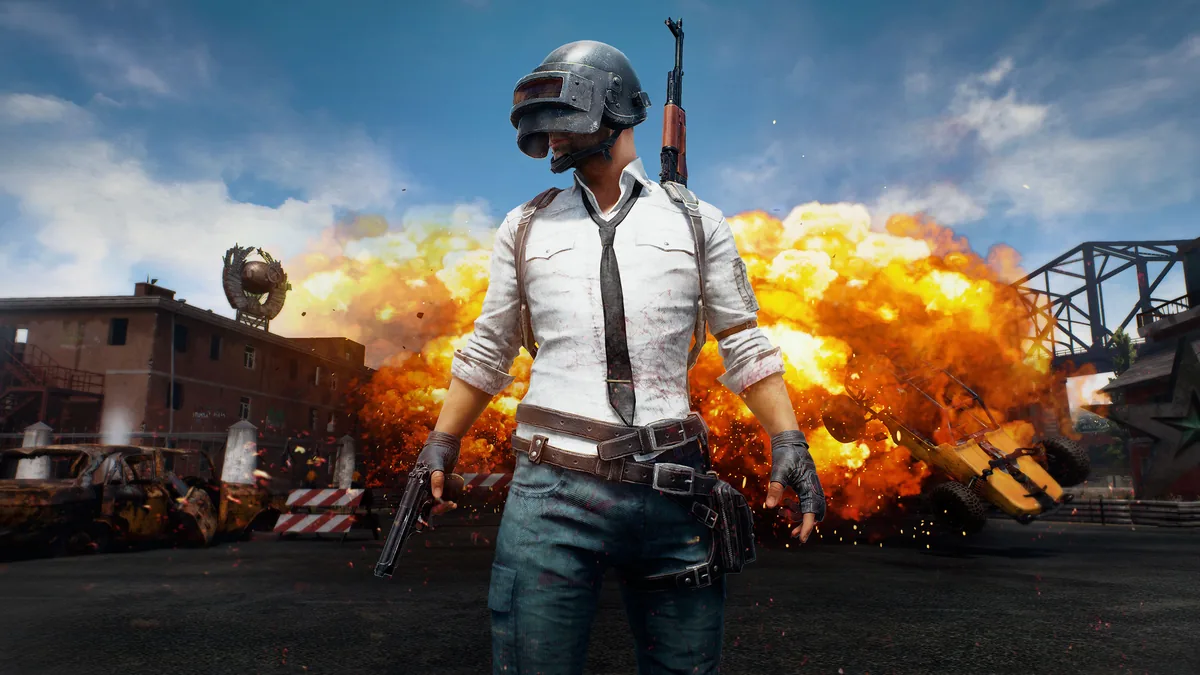
PLAYERUNKNOWN’S BATTLEGROUNDS is battle-royale shooter made only for the multiplayer experience. Players should do their best to become the last one alive. Matches are held on 3 main maps of a large size (Erangel, Miramar, and Sanhok). Each match has 100 participants fighting for themselves. The battle begins with players making the leap out of the plane to spread out across the map and to gather all possible equipment required for survival. Then, after a while, game intelligence randomly sets a circle shape safe zone, which gamers must reach to stay alive, and marks it on the map. Gear and resources are scattered throughout the map, so players can grab everything they need while running to the zone. Therefore, the main action comes out of the players’ collision on their ways to the circle. You can join the fight either alone or in a team (up to 4 people). Due to the customization system, lots of clothing items and weapon skins could be both bought on the marketplace and found in crates. However, in-app purchases don’t actually affect the gameplay.
Sources & attribution
- Game data (release year, genres, platforms, system requirements, description, cover art) via RAWG.io, retrieved 2026-08-21.
- GPU relative-performance indices via TechPowerUp GPU database (relative performance), retrieved 2026-08-29.
- FPS estimates on this page are GameFigs planning estimates from the demand-tier + GPU-index model — not benchmark results.
How the PlayerUnknown’s Battlegrounds optimization card & FPS estimate are computed
Each game is scored on a 0–9 demand tier from its published PC requirements (and a year/genre fallback when requirements are absent). The FPS estimate compares your selected GPU's relative-performance index against the tier's required index using a diminishing-returns curve, then scales for resolution. The settings card maps the demand tier and your hardware to a starting preset, an FPS band and an upscaler recommendation. All outputs are planning guides — verify in-game with the built-in benchmark when available.
Tools for PlayerUnknown’s Battlegrounds
Check your hardware against this title, then set your gear up for it.